
ISO 9001 document control: a guide to going digital
TürkçeEnglish
How to control documented information (ISO 9001 clause 7.5) digitally: approval workflow, version history, read confirmations and controlled copies, step by step.
A quality management system is only as reliable as people's access to the right version of the right document. Word files in shared folders, “final” attachments sent by email and outdated printouts on notice boards are among the most common sources of audit findings. This article shows how documented information, covered in clause 7.5 of ISO 9001, can be managed in a digital system.
What is expected from document control?
The standard does not prescribe a tool or format. The expectation is that information is fit for purpose, available, protected and that changes are traceable. In practice every document needs an owner, an approval process, a current version and a record of previous versions.
- Who prepared, reviewed and approved it, and when?
- Which version is currently effective?
- What changed compared with the previous version, and why?
- Have the affected employees read the new version?
- Are printed copies under control?
Step 1: Simplify your document structure
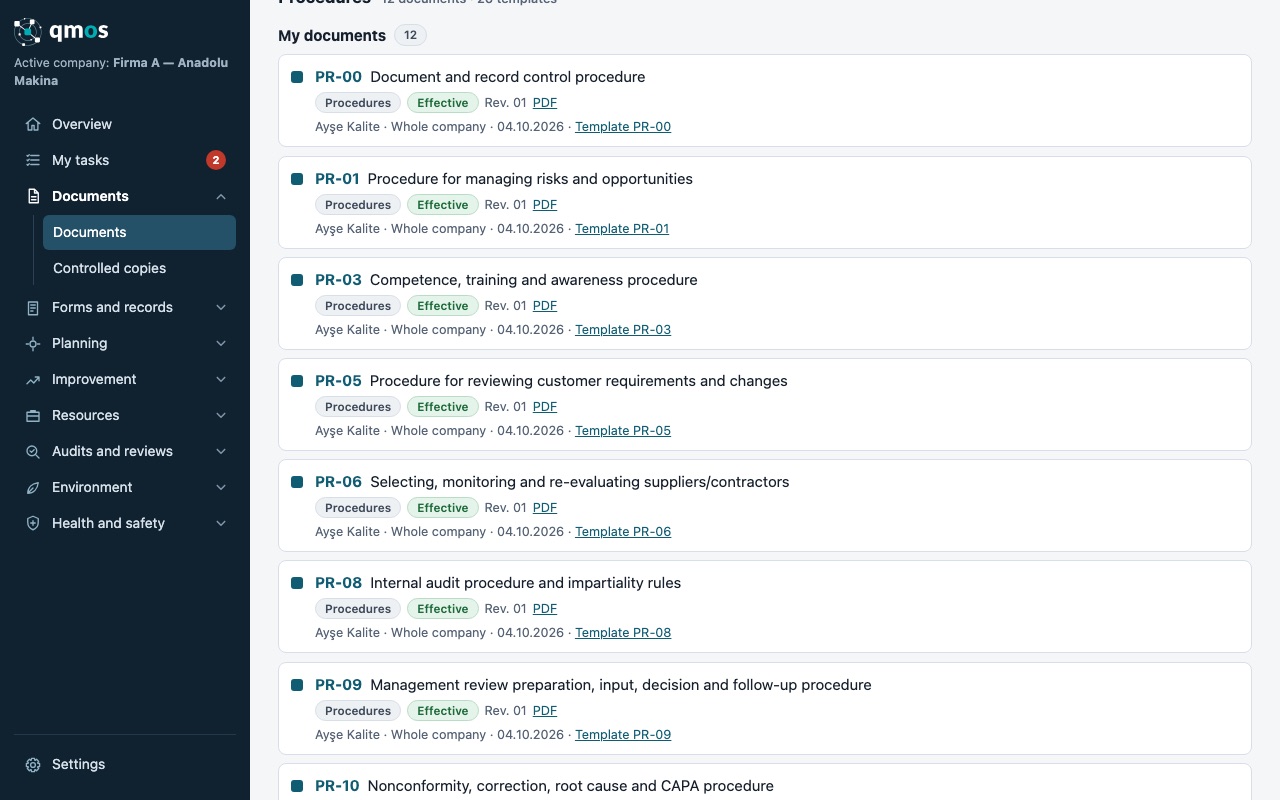
Before going digital, group your documents by type: manual, policies, processes, procedures, instructions, plans, lists and forms. Use consistent codes (e.g. PR-01, TL-04). Codes make searching easier and help auditors find what they need quickly.
Step 2: Define the approval workflow
Every document should move through draft, review, approval and release, with each step recorded. Keeping the author and the approver separate is good practice, even in small companies. In a digital system each step becomes a task for the right person, so nobody has to chase emails.
Step 3: Keep the version history
Superseded versions should not be deleted but archived and clearly marked as no longer valid. Write a short, clear reason for each change, such as “calibration interval extended from 6 to 12 months”. This saves time in internal audits and certification audits alike.
Step 4: Distribution and read confirmation
When a new procedure is released you need to show that the people affected have read it. Assigning read tasks and recording the confirmation is also strong evidence for awareness (clause 7.3), together with training records.
Step 5: Control printed copies
If paper is still needed on the shop floor, number controlled copies and track the collection of old copies as a task when a new version is released. Marking uncontrolled printouts as “for information only” and adding a QR code to check validity is good practice.
Common mistakes
- Several “current” copies of the same document
- Approval date and approver not recorded
- External documents (legislation, customer specifications) not listed
- Old versions deleted and history lost
Conclusion
Good document control is part of daily work, not an archive assembled in a hurry before the audit. In QMOS documents are filed by type and ISO area, review and approval tasks are assigned automatically, version history and read confirmations are recorded, and a ready-made document catalogue gives you a head start.
Sık sorulan sorular
Is special software required for document control?
No. The standard does not require a specific tool, but keeping approval, version and read records by hand takes time and increases the risk of errors.
Can we delete old versions?
Not recommended. Keep them clearly marked as superseded and set the retention period in your own policy.